
Shaders are small programs that run on the GPU and control how things are drawn. A vertex shader determines where vertices appear on screen, and a fragment shader determines the color of each pixel. raylibr lets you load custom GLSL shaders to create visual effects.
Loading shaders
Load shaders from files or from strings in memory:
# From files
shader <- load_shader("vertex.glsl", "fragment.glsl")

# Pass "" for either to use Raylib's default
shader <- load_shader("", "my_effect.glsl")

# From strings
fs_code <- "
#version 330
in vec2 fragTexCoord;
in vec4 fragColor;
out vec4 finalColor;
uniform sampler2D texture0;
void main() {
    vec4 color = texture(texture0, fragTexCoord) * fragColor;
    float gray = dot(color.rgb, vec3(0.299, 0.587, 0.114));
    finalColor = vec4(gray, gray, gray, color.a);
}
"
shader <- load_shader_from_memory("", fs_code)
Using shaders
Wrap your drawing calls in begin_shader_mode() /
end_shader_mode():
begin_shader_mode(shader)
draw_texture(my_texture, 0L, 0L, "white")
end_shader_mode()
Everything drawn between these calls uses the custom shader instead of the default rendering.
Uniforms
Pass data from R to the shader via uniforms — named variables in the GLSL code:
loc <- get_shader_location(shader, "intensity")
set_shader_value(shader, loc, 0.5)           # float
set_shader_value(shader, loc, c(1.0, 0.5))   # vec2
set_shader_value(shader, loc, c(1, 0, 0))    # vec3
set_shader_value(shader, loc, c(1, 0, 0, 1)) # vec4
set_shader_value() automatically picks the right GLSL
type based on the length of the R vector.
For matrices, use set_shader_value_matrix(). For
textures, use set_shader_value_texture().
Post-processing pattern
The most common shader use case is post-processing: render the scene normally to an off-screen texture, then draw that texture to the screen through a shader.
# Setup
target <- load_render_texture(640L, 480L)
shader <- load_shader("", "my_effect.glsl")
source_rec <- rectangle(0, 0, 640, -480)  # flipped Y for render texture

# In the game loop:
begin_texture_mode(target)
  clear_background("black")
  # ... draw your scene normally ...
end_texture_mode()

begin_drawing()
  begin_shader_mode(shader)
  draw_texture_rec(target$texture, source_rec, c(0, 0), "white")
  end_shader_mode()
end_drawing()
Note the negative height in the source rectangle — render textures are vertically flipped in OpenGL.
Examples
The examples below all post-process the same scene. Two small helpers
keep the snippets short: draw_scene() draws the scene, and
post_process() follows the pattern above, rendering the
scene to a texture and drawing that texture through a shader.
draw_scene <- function() {
  draw_rectangle_gradient_v(0L, 0L, 640L, 480L, "midnightblue", "darkorchid4")
  draw_circle(170L, 230L, 110.0, "gold")
  draw_circle_lines(170L, 230L, 140.0, "white")
  draw_rectangle(300L, 120L, 200L, 200L, "tomato")
  draw_triangle(c(480, 380), c(620, 380), c(550, 250), "springgreen")
  draw_text("raylibr", 40L, 400L, 60L, "white")
}

post_process <- function(shader) {
  target <- load_render_texture(640L, 480L)
  begin_texture_mode(target)
  draw_scene()
  end_texture_mode()

  begin_shader_mode(shader)
  draw_texture_rec(target$texture, rectangle(0, 0, 640, -480), c(0, 0), "white")
  end_shader_mode()
}
Without a shader, the scene looks like this:
draw_scene()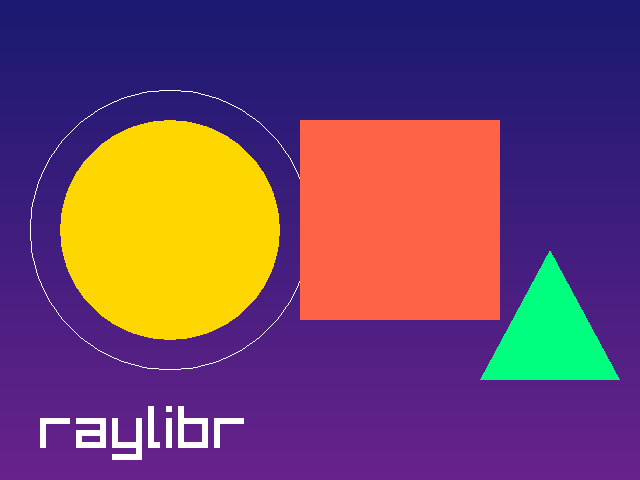
raylibr ships with a collection of post-processing shaders from the
Raylib examples, which you can find with
raylibr_resource().
Grayscale
Converts each pixel to its luminance, using the weights
(0.299, 0.587, 0.114) to match human perception:
shader <- load_shader("", raylibr_resource("model/grayscale.fs"))
post_process(shader)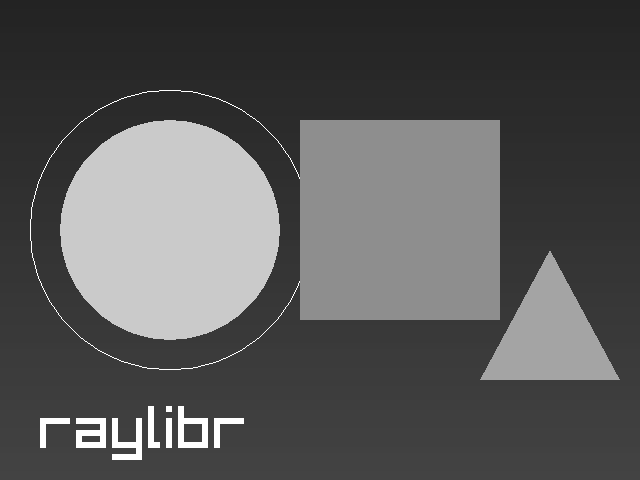
Pixelation
The pixelizer shader has uniforms for the block size, which you can set from R:
shader <- load_shader("", raylibr_resource("model/pixelizer.fs"))
set_shader_value(shader, get_shader_location(shader, "pixelWidth"), 10)
set_shader_value(shader, get_shader_location(shader, "pixelHeight"), 10)
post_process(shader)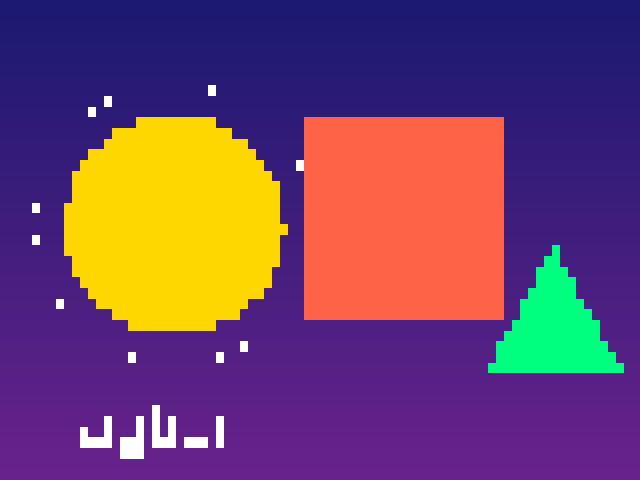
Edge detection
The Sobel operator compares neighbouring pixels to find edges:
shader <- load_shader("", raylibr_resource("model/sobel.fs"))
post_process(shader)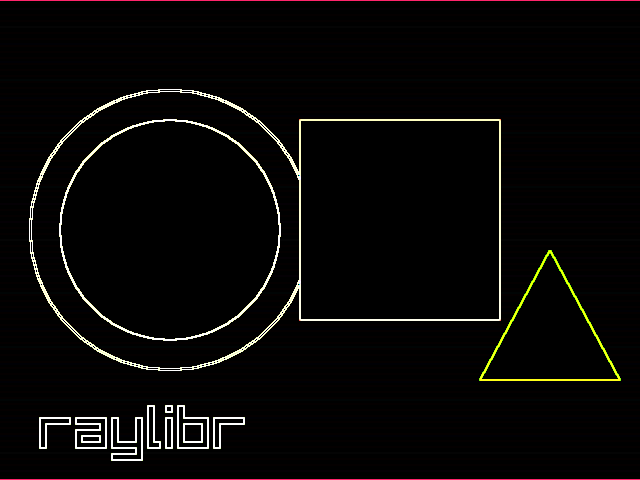
Thermal vision
Maps the brightness of each pixel onto a heat-camera palette:
shader <- load_shader("", raylibr_resource("model/predator.fs"))
post_process(shader)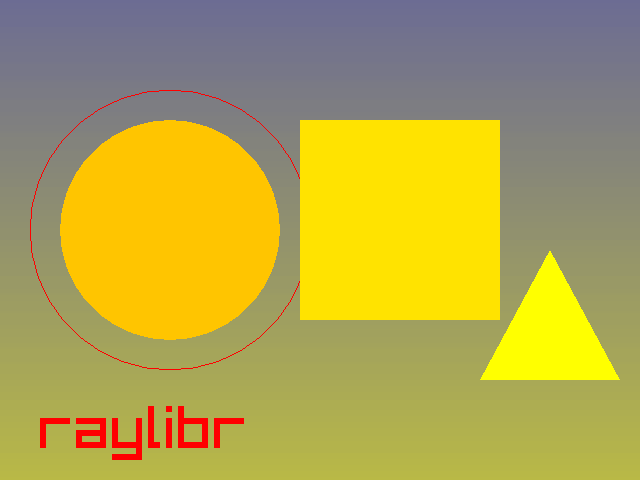
Fisheye
A fragment shader can also move pixels around. This one samples the texture through a lens distortion:
shader <- load_shader("", raylibr_resource("model/fisheye.fs"))
post_process(shader)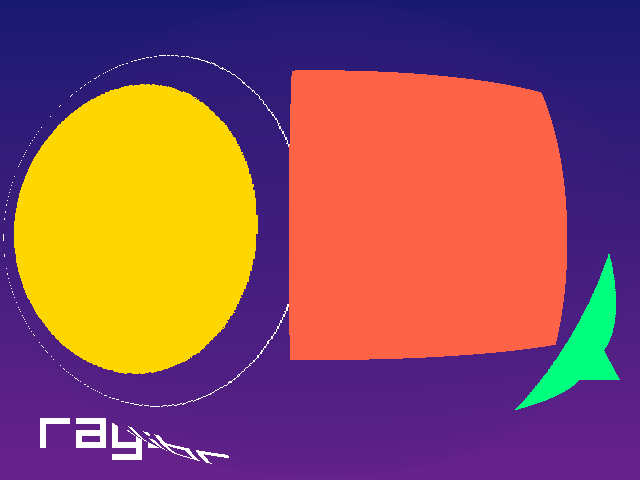
Writing your own
A fragment shader of your own can be loaded from a string. This one inverts every color:
fs_code <- "
#version 330
in vec2 fragTexCoord;
in vec4 fragColor;
out vec4 finalColor;
uniform sampler2D texture0;
void main() {
    vec4 color = texture(texture0, fragTexCoord) * fragColor;
    finalColor = vec4(1.0 - color.rgb, color.a);
}
"
shader <- load_shader_from_memory("", fs_code)
post_process(shader)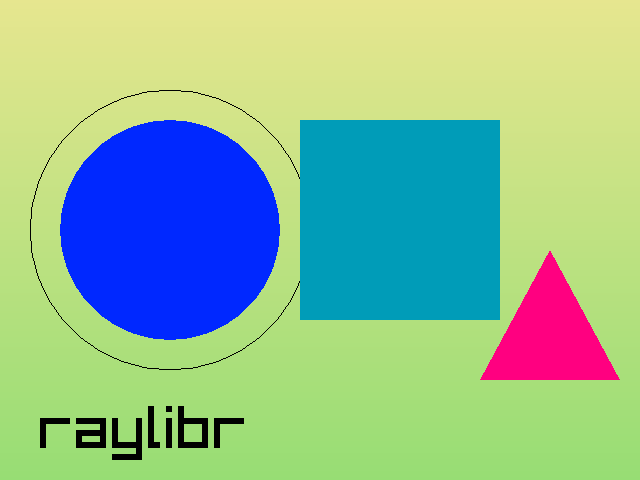
In a real program, load shaders once before the game loop and free
them with unload_shader() afterwards.
Further reading
See these demos for more advanced shader usage:
- Shader Stars — animated GLSL fragment shader with uniform updates each frame
- Julia Sets — fractal rendering with mouse-driven zoom via shader uniforms